
 Submit Ticket

By transferring your commission from your Affiliate Account to your Player Account, you can withdraw it.
Please provide the details below so we can activate your player selection.
If you don’t already have a Player Account, please create one first.
Send your request to: [email protected]
Email Subject: Link Player ID
Email Content:
Hi Team,
My Affiliate ID: ________________
My Player ID: _________________
Note: Use the email address linked to your Affiliate Account when submitting this request.
What to do next?
1. Once you receive confirmation that your withdrawal option is active, log in to your Affiliate Account.
If your commission is still marked as PENDING, wait until it shows as Available before withdrawing.
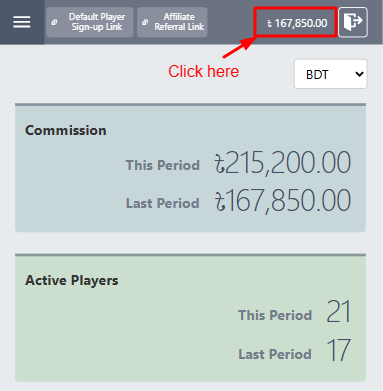
2. When your commission is available, click APPLY. You will then see your Player Account, the amount you can withdraw, and the option to receive an OTP (One-Time Password) by email or phone.
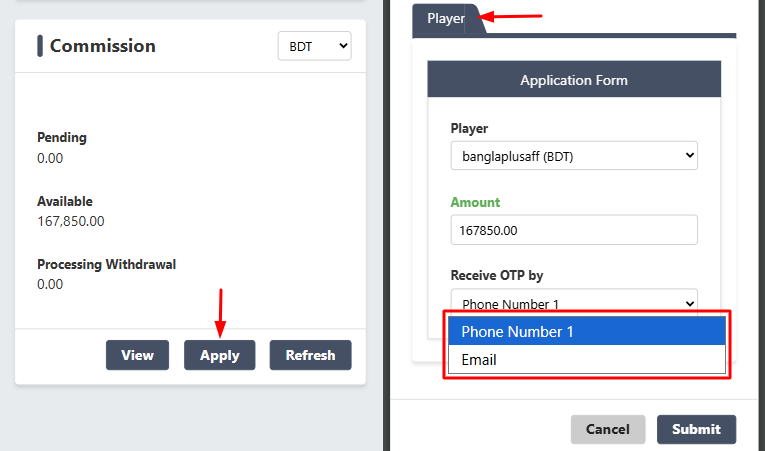
3. Choose either SMS or EMAIL to receive the OTP, then click Submit.
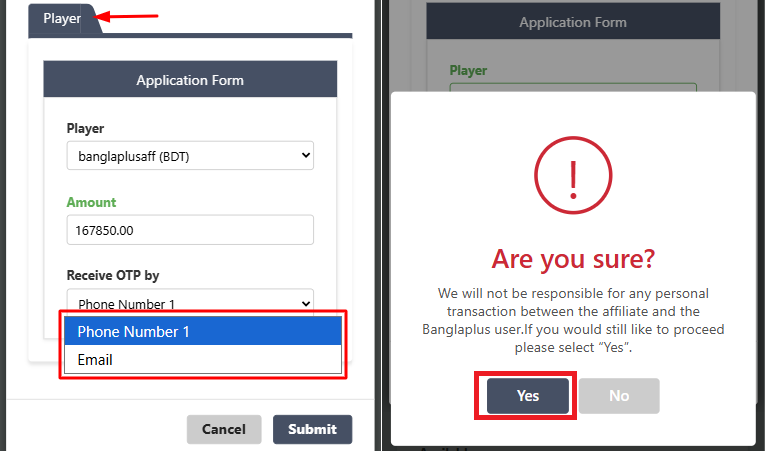
4. The OTP will be sent to the phone number or email address registered with your Affiliate Account. Enter the code and click Submit.
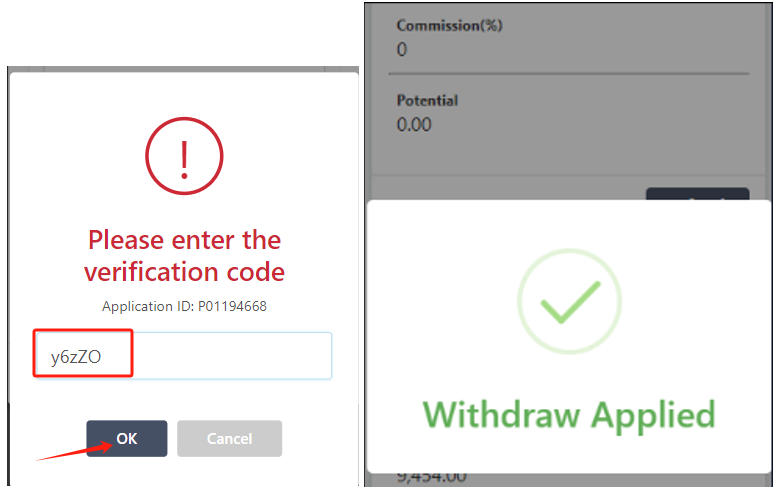
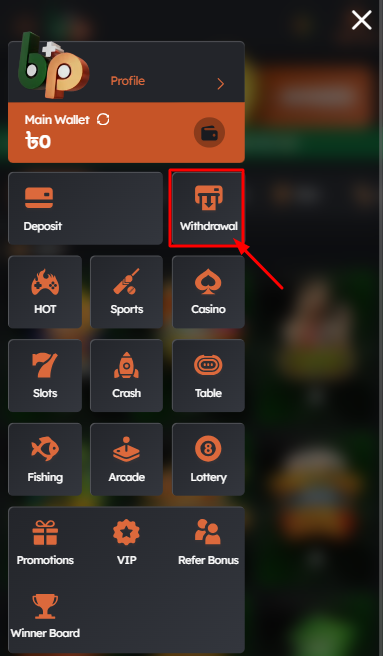
5. Your commission withdrawal has been successfully processed. You may now review your player account and use the available payment methods to initiate a withdrawal request.
Commission Payment Method
• Commissions are computed weekly during our weekly reset every Monday and Tuesday and Paid every Wednesday.
• No Minimum commission withdrawal via local payment options.
• CryptoCurrency (TRC20 or ERC20) is also available and with a minimum commission withdrawal of 1000 USDT.
• To make sure of your success, our dedicated Banglaplus Affiliate Support will be with you throughout your journey with us.
