Submit Ticket

How to get my affiliate link and recruit new players?
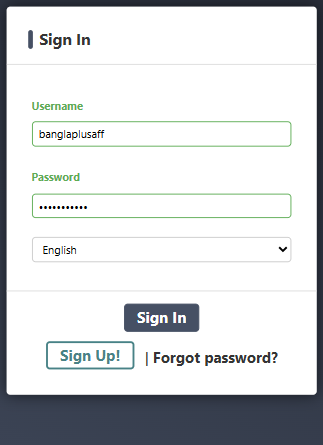
1. Log in to your Affiliate Account.
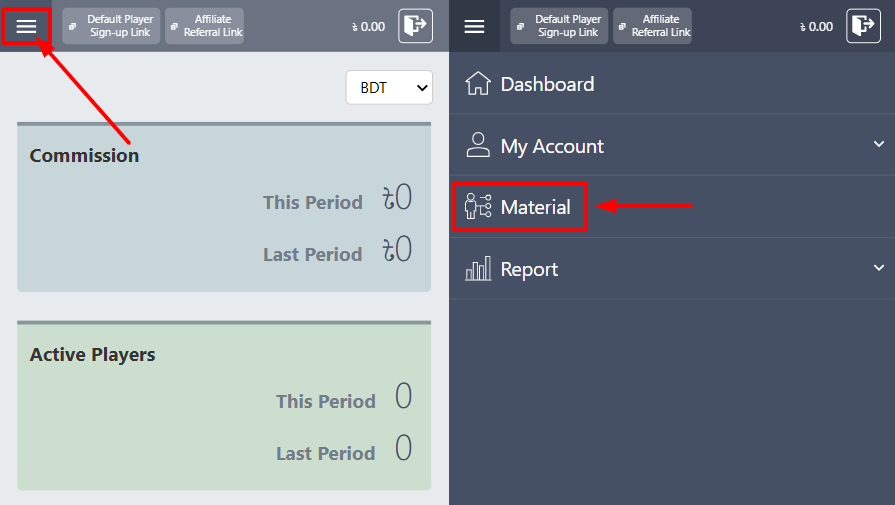
2. Open the menu and select “Material.”
3. Click the “Action” button to copy your affiliate link.
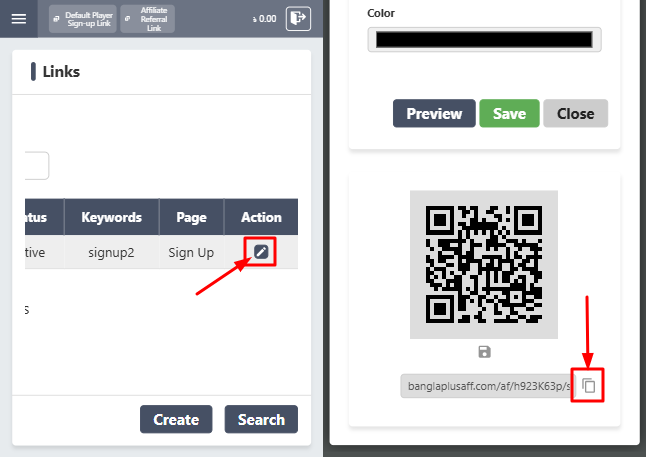
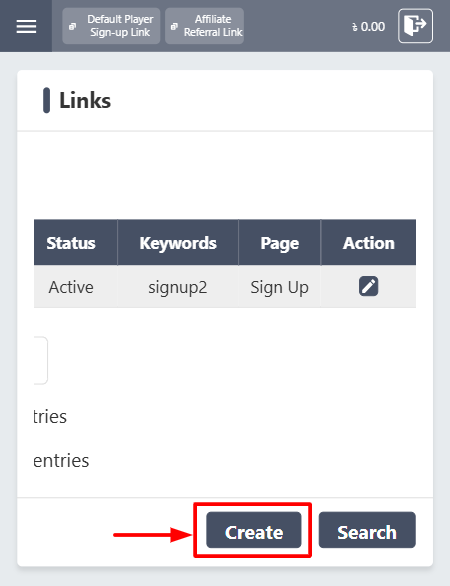
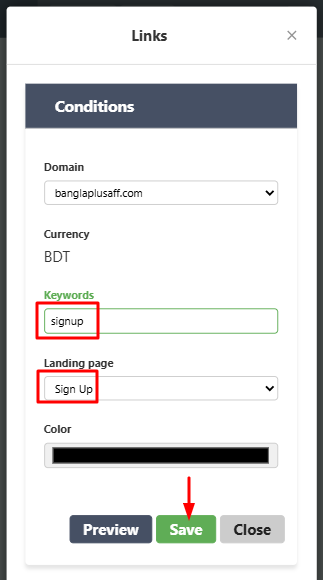
4. To create a new link, click “Create” and add your chosen keywords.
5. Make sure there are no spaces in the keyword. When finished, click “Save.”
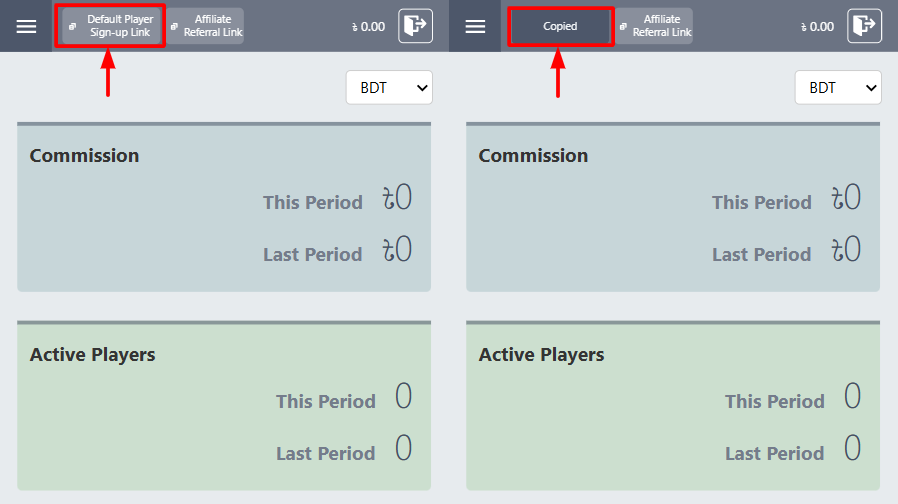
6. You can also copy the default link directly by clicking it.
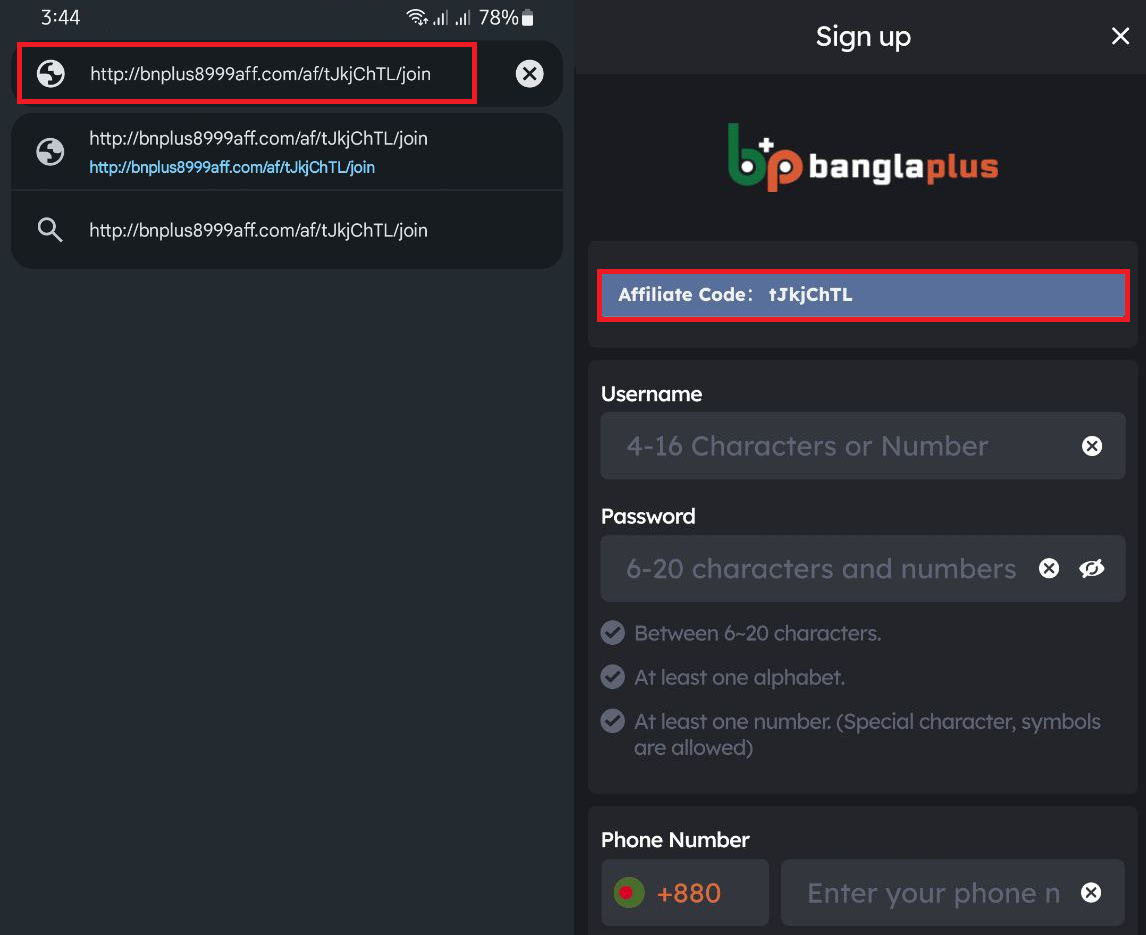
7. Share your link with friends so they can sign up for a player account. Your affiliate code will automatically appear on their registration form.
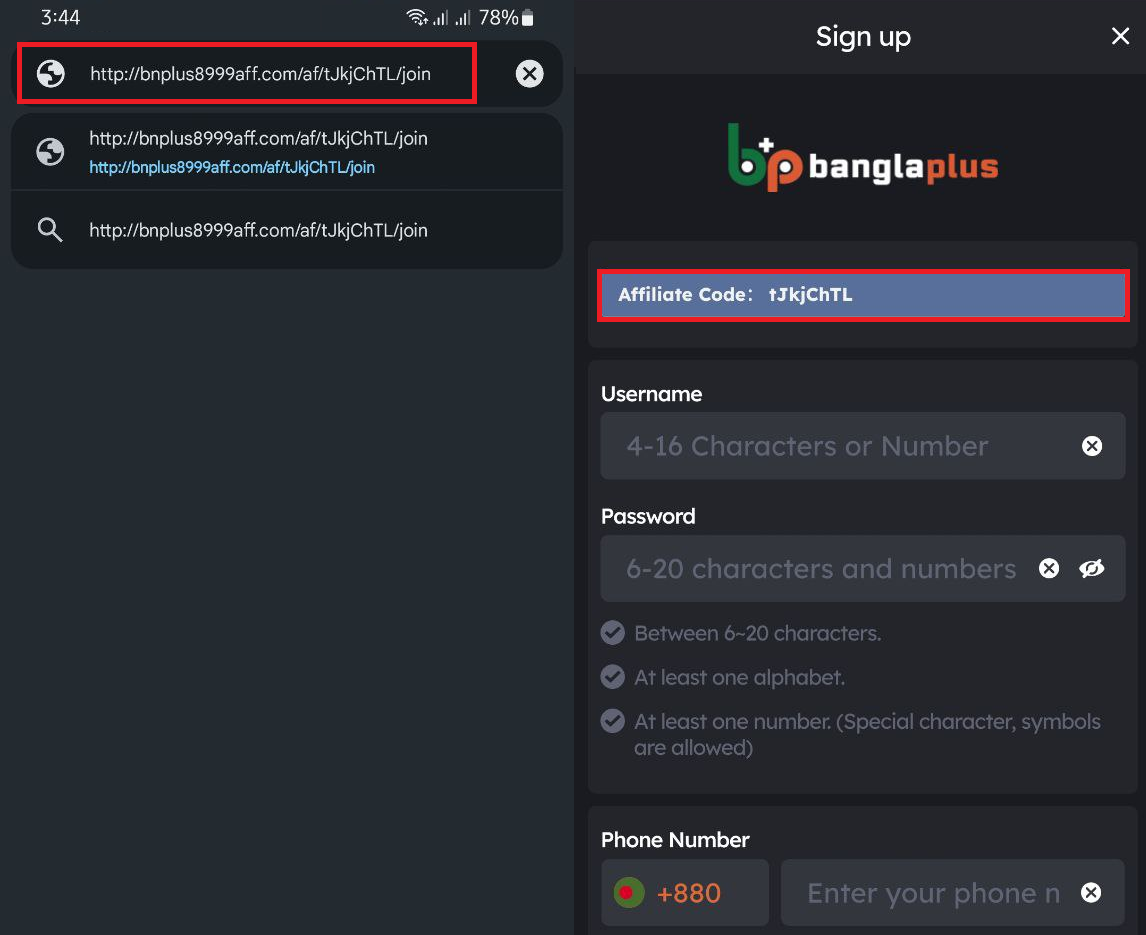
Note: Your affiliate code must be visible during sign-up. If it does not appear, ask the player to clear their browsing history before registering.
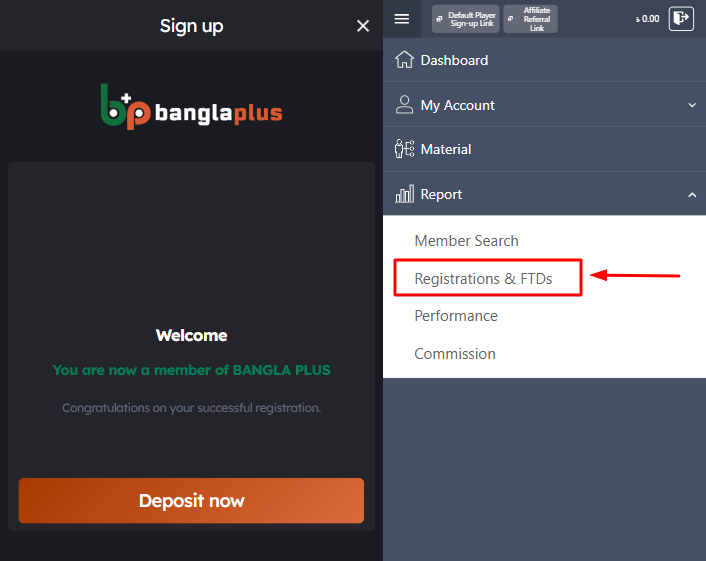
8. Once the player has successfully created their account, log in to your Affiliate Account to confirm they are registered under you.
HOW TO DELETE BROWSING HISTORY?
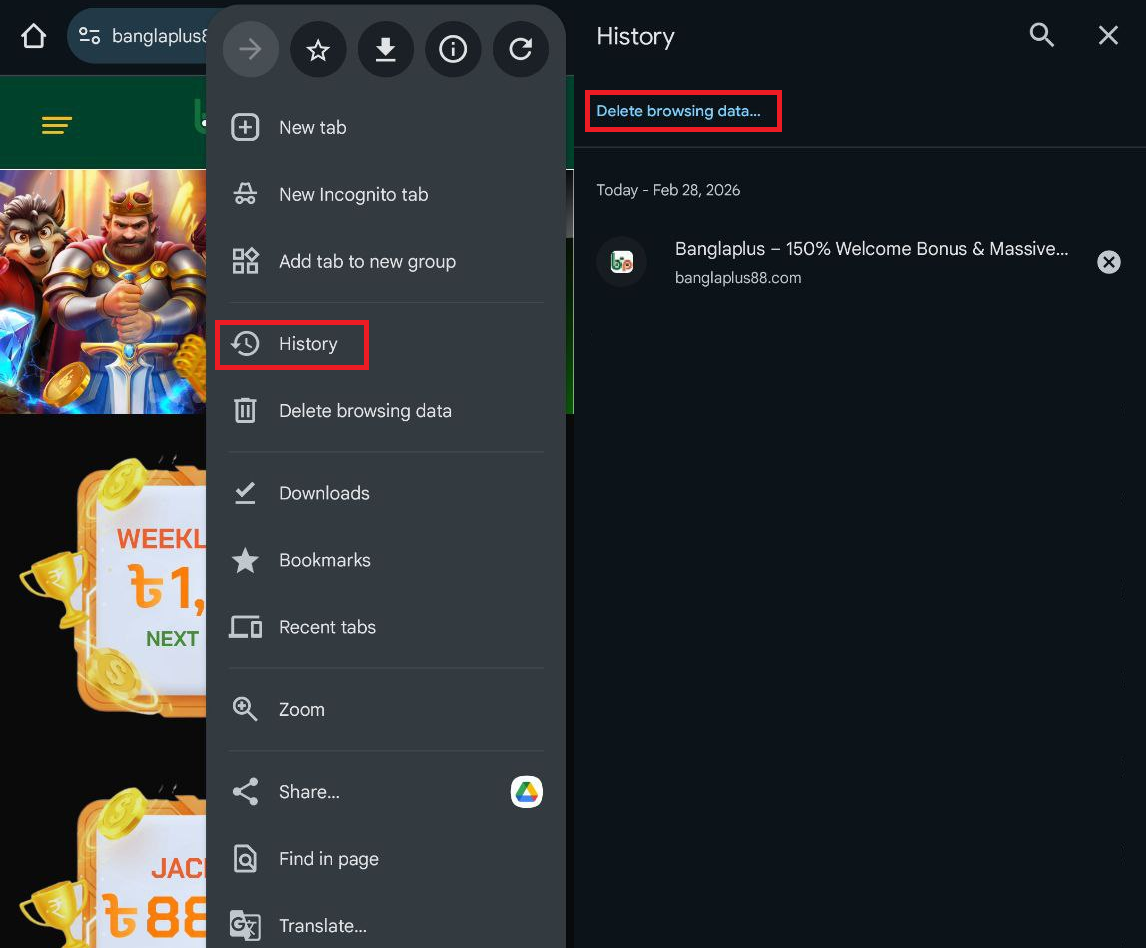
1. Open your browser, go to History, then select Delete browsing data.
2. Choose “All time” to remove all browsing history.
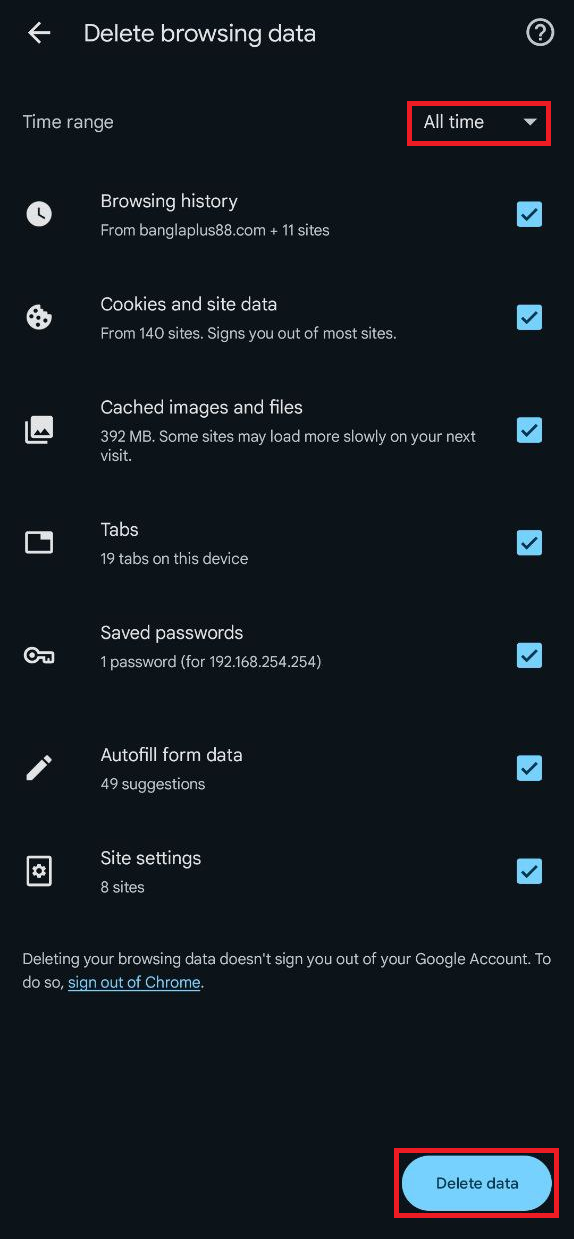
3. After clearing history, the player can try registering again using your affiliate link.